
ITALIANO
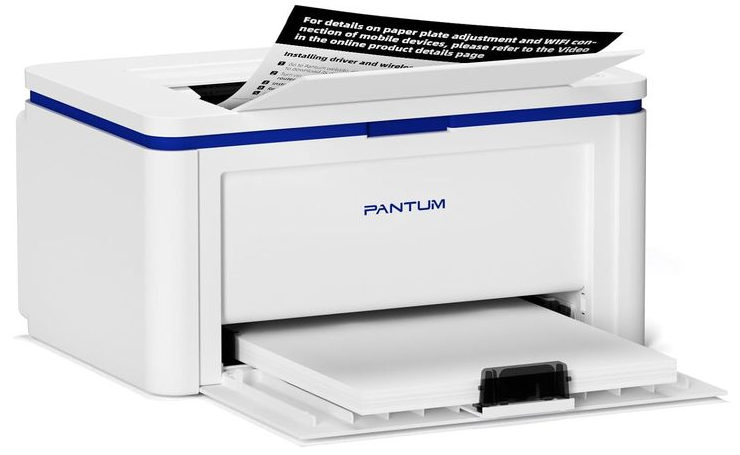
Per usare la stampante PANTUM BP2309W su Linux dovete installare i necessari driver che potete scaricare qui (sono i nostri driver testati ad Ottobre 2026) o direttamente dal sito di PANTUM qui dove probabilmente avrete l’ultima release dei driver.
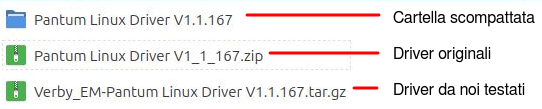
Dopo aver scaricato i driver scopattate il pacchetto in una cartella, vedere immagine sotto, scompattate lo ZIP o il GZ a secondo di cosa avete scaricato.
Ora andate nella cartella:
……PANTUM BP2309W/Pantum Linux Driver V1.1.167
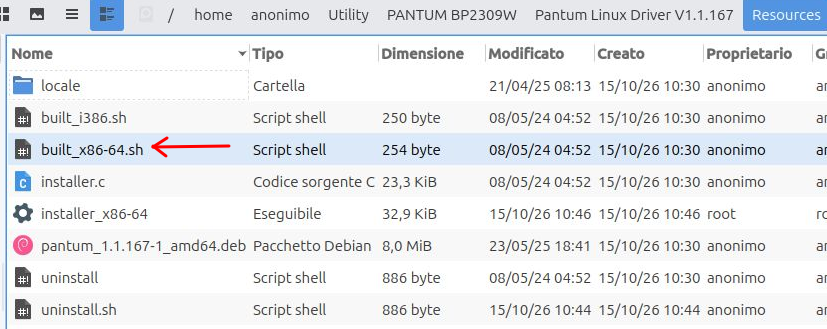
e lanciate il comando sotto che è stato scelto perchè il PC in uso ha un’architettura x86 a 64bit notate che c’è anche il comando per l’architettura i386 (32bit):
sudo sh ./built_x86-64.sh
Collegate la stampante via USB e verrà riconosciuta dal PC così potrete stampare.
English
To use the PANTUM BP2309W printer on Linux, you need to install the necessary drivers. You can download them here (these are our drivers, tested in October 2026) or directly from the PANTUM website here, where you will likely find the latest driver release.
After downloading the drivers, extract the package into a folder, see the image below, unpack the ZIP or GZ file, depending on which one you downloaded.
Now go to the following folder:
……PANTUM BP2309W/Pantum Linux Driver V1.1.167
and run the command below, chosen because the PC in use has an x86 64-bit architecture, note that there is also a command for the i386 32-bit architecture
sudo sh ./built_x86-64.sh
Connect the printer via USB and it will be recognized by the PC, allowing you to print.