
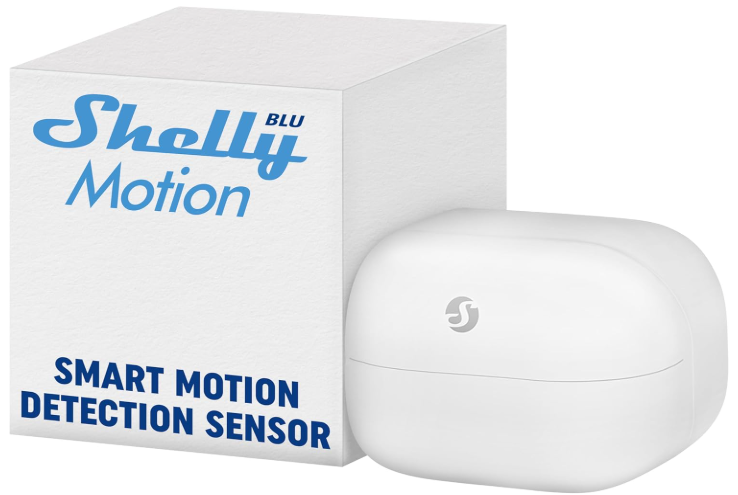
Shelly BLU Motion, Sensore di Movimento e Luce Bluetooth
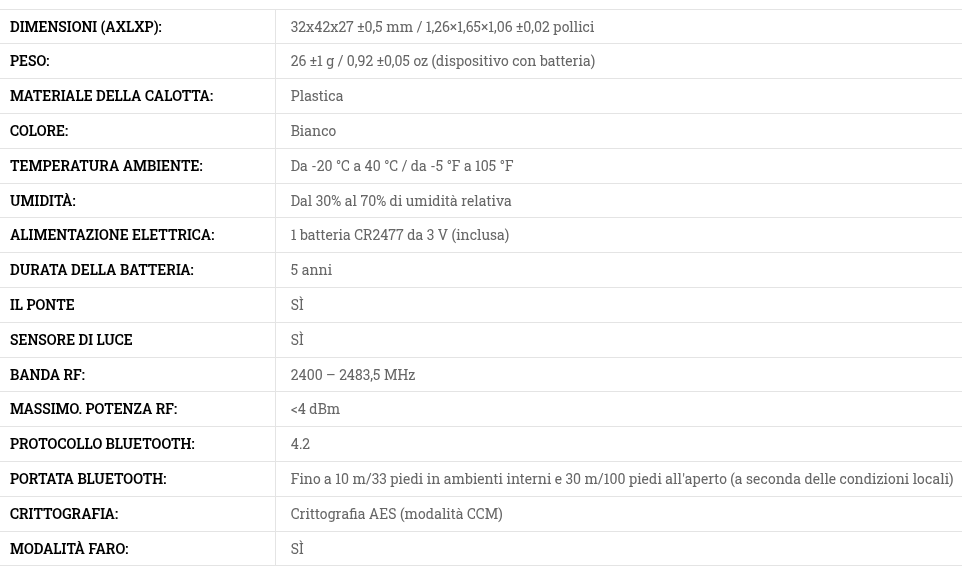
Shelly Blu Motion is a motion and brightness sensor with new Bluetooth technology.
It also features immediate reactivity with a response speed of less than 100 ms.
Shelly Blu Motion also has a “lux” brightness sensor that will allow you to perform simple or complex actions or scenarios based on the brightness detected in the room where you will place your sensor.
You can also adjust the sensitivity of the motion detector based on your needs to avoid any false alarms.
Here, there are the explanation for use Shelly BLU line in conjunction with a BT bridge also of Shelly.
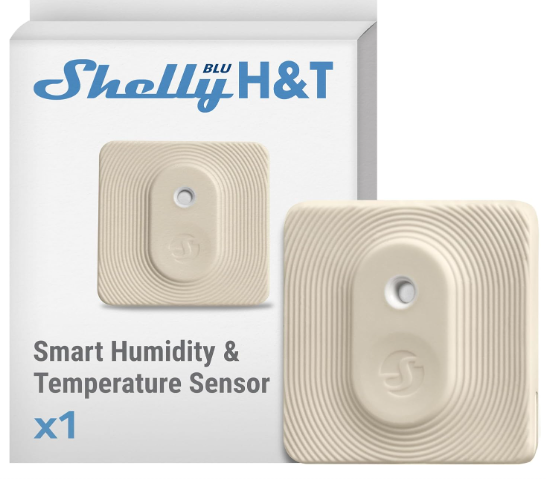
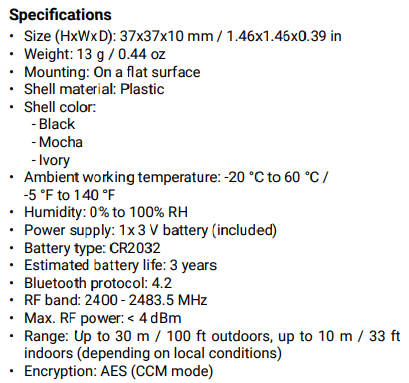
Shelly BLU H&T, Sensore di Temperatura e Umidità con anche un Tasto.
Controllato via Bluetooth, Resistente agli Spruzzi e alla Polvere, Classe di Protezione IP54.
Per sapere come usare i sensori Shelly BLU in una rete WiFi, guardate qui.
To learn how to use Shelly BLU sensors in a WiFi network, click here.
ATTENZIONE – ATTENTION
Ad oggi il firmware degli oggetti BlueTooth di Shelly può avere dei problemi durante l’update a versioni più aggiornate a causa del malfunzionamento della rete durante il download.
Se perdete il controllo del vostro oggetto Shelly caricate l’APP chiamata:
Shelly BLE Debug
e seguite i semplici passaggi riportati qui sotto che vi risolveranno il problema.
Currently, the firmware on Shelly BlueTooth devices may experience issues when updating to newer versions due to network failure during download.
If you lose control of your Shelly BlueTooth device, download the APP:
Shelly BLE Debug
and follow the simple steps below to resolve the issue.

- Lancia Shelly BLE Debug (SBD)
- Resetta il dispositivo shelly che non funziona più e questo verrà automaticamente collegato al SBD, (alcune volte viene richiesto di premere un tasto sul vostro dispositivo shelly)
- Ora selezionare SLOW OTA e poi premete su OTA così verrà aggiornato il vostro device
- Ad aggiornamento avvenuto chiudete SBD, lanciate l’APP Shelly Smart Control e accoppiate il vostro dispositivo con la vostra APP
- Launch Shelly BLE Debug (SBD)
- Reset the Shelly device that is no longer working, and it will automatically connect to the SBD (sometimes you’ll be prompted to press a button on your Shelly device).
- Now select SLOW OTA and then press OTA to update your device.
- Once the update is complete, close SBD, launch the Shelly Smart Control app, and pair your device with your app.

Link:
Spiegazioni in Italiano guarda qui.
English explanation see here.